DiskHealth — S.M.A.R.T. Monitor

Support center

About DiskHealth

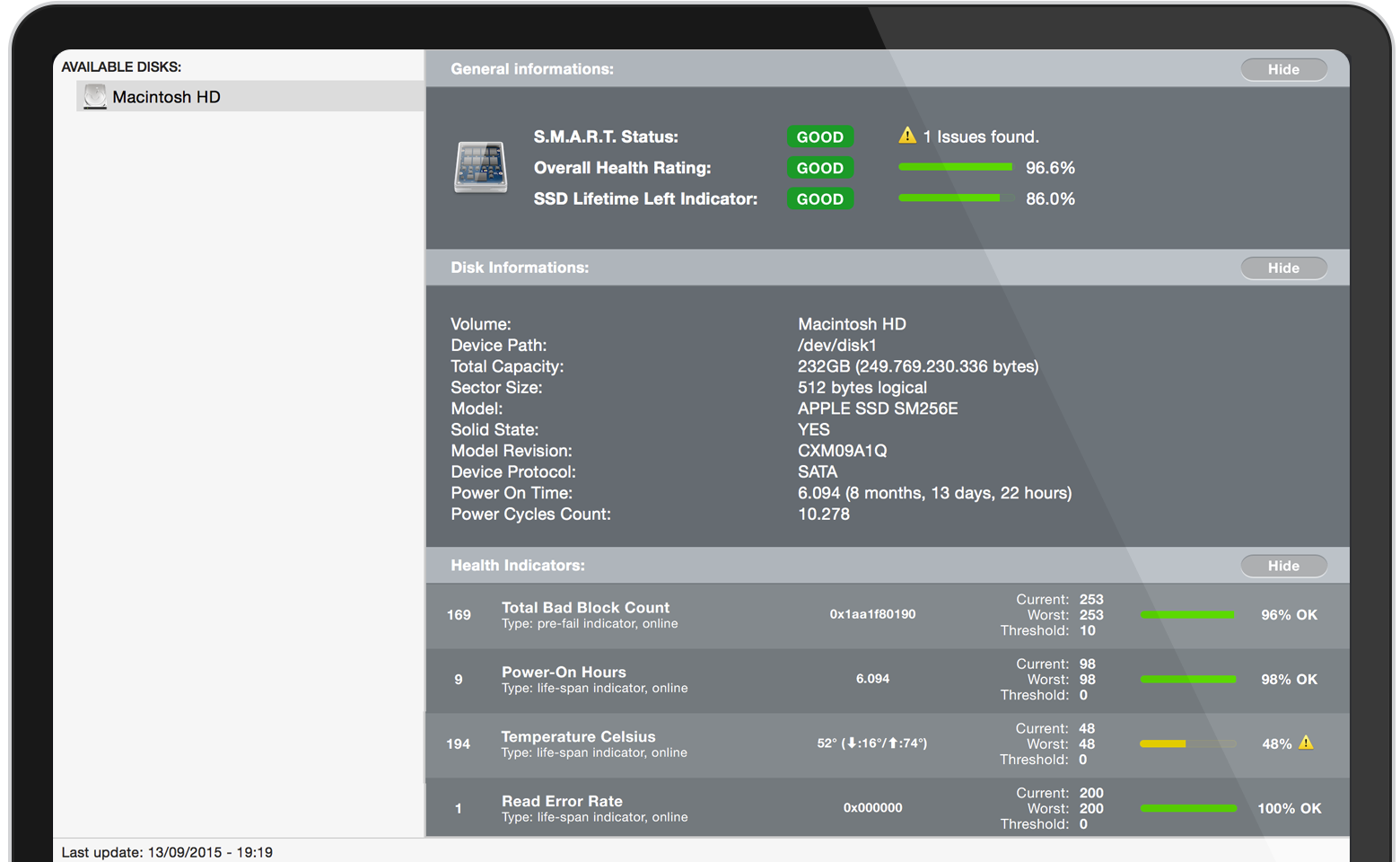
DiskHealth is a S.M.A.R.T. reporter for your Mac that can warn you before a disk drive failure actually happens. It periodically polls the built-in S.M.A.R.T. status of your ATA, SATA and eSATA drives, keeping you informed via a dynamic menu bar icon and a Notification Center widget.

System requirements: macOS 10.10 or later, 64-bit processor.

Main features

🔍

S.M.A.R.T. Reporter

Periodically polls the built-in S.M.A.R.T. status of your drives to detect early signs of failure before they become critical.

📊

Realtime Statistics

The menu bar icon changes dynamically to reflect the current health status of your drives, giving you an at-a-glance overview.

100% Compatible

Relies on the macOS S.M.A.R.T. implementation with full support for ATA, SATA and eSATA connected drives.

🪟

Today Widget

Full Notification Center Today Widget integration — all important drive information available at a glance without opening the app.

Frequently asked questions

What is S.M.A.R.T. and why does it matter?

S.M.A.R.T. (Self-Monitoring, Analysis and Reporting Technology) is a built-in monitoring system in hard drives and SSDs that tracks indicators of drive reliability. DiskHealth reads these indicators periodically to alert you before a failure occurs, giving you time to back up your data.

Which drives does DiskHealth support?

DiskHealth supports any ATA, SATA or eSATA drive that exposes S.M.A.R.T. data through the standard macOS S.M.A.R.T. interface. This covers most internal and external hard drives and SSDs. NVMe and USB-bridged drives may have limited or no S.M.A.R.T. support depending on the drive and bridge hardware.

How often does DiskHealth check my drives?

DiskHealth polls S.M.A.R.T. data periodically in the background. The dynamic menu bar icon updates automatically whenever a change in health status is detected, so you are always looking at up-to-date information.

What does the menu bar icon mean?

The menu bar icon changes to reflect the overall health of your drives. A green or normal icon indicates all drives are healthy. A warning or red icon indicates that one or more drives have a S.M.A.R.T. attribute outside normal range. Click the icon to see a detailed breakdown.

What checks does DiskHealth perform?

DiskHealth performs three main checks: S.M.A.R.T. status (key reliability attributes), I/O error monitoring (read/write errors reported by the drive), and disk space (free space remaining). All results are shown in a simple scrollable interface.

Contact support

Have a question, a feature request or a bug to report? We are happy to help.

Email support

iphonesmartapp@gmail.com

We typically reply within 2 business days. Include your app version, macOS version and a short description of the issue.

Privacy policy

Last updated: April 16, 2026

DiskHealth is designed with privacy in mind. The app does not collect, store, or transmit any personal data about you.

Data we collect

None. DiskHealth does not collect any personal data, usage analytics, crash reports, or identifiers. No account is required to use the app.

Data we transmit

DiskHealth only reads S.M.A.R.T. data and disk information locally from drives connected to your Mac through macOS system APIs. No data is sent to any server owned by us or by third parties.

Third-party services

DiskHealth does not integrate any analytics, advertising, tracking, or social SDKs. The app does not use any third-party services.

Your rights

Since we do not collect personal data, there is nothing for us to access, correct, or delete. You can remove all local DiskHealth data at any time by deleting the app from your Mac.

Contact

Questions about this privacy policy? Write to ISALabs at iphonesmartapp@gmail.com.